7/25/2025
Why every woodworker should consider a 3D printer
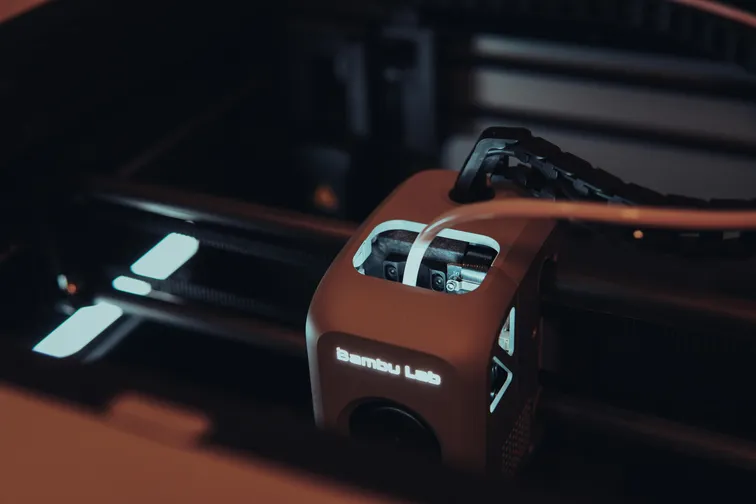
Image by:
Tibor SzaboIf you’d told me a few years ago that one of my favorite workshop tools would be a plastic spaghetti machine, I might have looked at you funny. But here we are. And I want to make the case that adding a 3D printer to your woodworking setup isn’t just a fun side project but can be a genuine game-changer.
It’s not just for cosplay helmets
When people think of 3D printing, they often imagine action figures, miniature game terrain, or elaborate Iron Man helmets. While that’s cool (and hey, no judgment, I’ve printed my fair share of nerdy stuff), there’s so much more potential for practical use, especially for woodworkers. If you’re thinking, “But wait, I want to work with wood, not plastic!” don’t worry. 3D printing isn’t here to replace wood; it’s simply a great complement that helps streamline your workflows.
I started using 3D printing as a way to make jigs, brackets, tool holders, dust collection adapters, and all the small bits and pieces that are either hard to find or overpriced in the woodworking world. Got an awkward angle to clamp? Design a custom spacer. Need a vacuum adapter that fits your weird Festool-to-Makita situation? Print it. Want to make your own zero-clearance insert? Done.
Basically, if it’s plastic and needs to be custom, you can probably print it.
There’s a whole hive out there
If you’re already using CAD tools for woodworking, good news, you already have the skills and software needed to design for 3D printing too.
However, even if you’re not into designing parts yourself, you’re not out of luck. There are hundreds, if not thousands, of clever designers solving workshop problems and sharing their creations for free. Platforms like MakerWorld and Thingiverse are packed with ready-to-print jigs, holders, clamps, and adapters made by fellow makers who love solving the same kinds of problems you do. Just search, download, and print. It’s like having a toolbox full of ideas from around the world.
I’ve started sharing some of my own creations too, feel free to check out my designs on MakerWorld - @hashtagsheep.
Printers have come a long way
Now, I won’t lie: my 3D printing journey didn’t start smooth. My first printer was one of those early kits where the instructions look like IKEA sheets translated by a robot, and you spend your first weekend wondering why the filament won’t stick. Every second print failed for some mysterious reason. Leveling the bed felt like summoning ancient spirits. But I learned a lot.
Then I switched to Bambu Labs. And let me tell you, it was like going from dial-up internet to fiber. These days, I just send a file and it prints. No fussing. No constant tweaking. Just results.
My daily drivers are a Bambu Labs P1S and an A1 Mini. The P1S handles the bigger, more robust parts, while the A1 Mini is perfect for quick prototypes or when the big one is busy cranking out parts. Both have earned a permanent spot in my tool collection. They just work, and they’ve saved me a surprising amount of time and money in the shed.
Of course, there are plenty of other manufacturers making great printers too like Prusa, Creality, and Anycubic, but I haven’t used them myself, so it’s hard to give a proper recommendation. I just know the Bambu machines have made my life a lot easier, and that counts for something.
It’s easier than ever to get started
Modern printers like those from Bambu Labs come pre-assembled or at least mostly set up. You don’t need to be a wizard to get good results. There’s a growing ecosystem of ready-made models and slicers that are beginner-friendly. Plus, the community is huge and helpful.
I’ll be honest: it’s not 100% plug and play. But it’s closer than ever. And for anyone comfortable using a plunge saw or a router, figuring out a 3D printer is absolutely doable.
What’s next?
In some follow-up posts, I’ll go over a few 3D printing basics, especially with a woodworker’s needs in mind. We’ll cover things like materials, usage tips, and even touch on how to start making your own models.
Until then, if you’ve ever thought, “I wish I had a little widget for this”, chances are, your 3D printer can make it. And that, my friends, is the magic of bringing plastic into a woodshop.
I hope you enjoyed the read, and if not, that's fine too! Feel free to share your thoughts or reach out on Instagram, Mastodon, Bluesky or MakerWorld. I'm always happy to hear feedback: good, bad, or sheep-themed.